RepDial is a strength coach for lifters who care about tempo: a Tempo Dial paces every rep while you log sets, meals and macros in one place. It works on iPhone and iPad, with an optional Apple Watch app, widgets and Siri shortcuts. Start with Free; Pro adds deeper planning, analysis and sharing.
RepDial is in an early, invite-only beta. Join the beta, or ask us for an invite.
We built RepDial for people who already lift and want every rep to count. Two sets of ten can be very different workouts. The difference is how long each part of the rep takes.
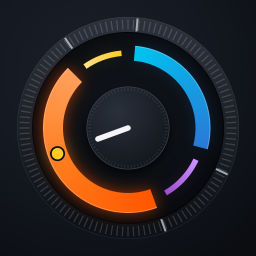
Tempo Dial paces each rep with cues and haptics.Tempo is four numbers, like 3-1-1-0: lower, pause, lift, pause. The dial draws each phase as an arc, thick for the moving phases and thin for the pauses. A phase set to 0 seconds is skipped. RepDial calls each phase by voice, tones or haptics, so you can watch the bar and not the screen.
Your routines, or import your own program, plus fast set logging.Build a routine, pick a program or bring the one you already follow. Import a spreadsheet, pasted Notes text or a screenshot, check what RepDial read, and save it as a new copy. Logging a set takes a few taps, and the next load suggestion comes from your last sets and reps in reserve.
Fuel: log meals and macros next to your training.Search foods, scan a barcode or a label, and see calories, protein, carbs and fat beside the workouts you log. It is one app for the whole day, in the gym and at the table.
A session, end to end
From the first set to the last rep.
Here is one workout from start to finish. The web guide has the details for each step.
Choose what to train.Start today's workout from your routine or program, or start a quick workout.
Set your tempo.Pick the four numbers for each exercise. You can change them whenever you like.
Lift with the dial.Thick arcs move and thin arcs hold. Voice counts the phases and the rep, tones or haptic taps mark each change, and the cues keep going with your screen off.
Log the set.Enter weight, reps and reps in reserve, then log the set. Siri asks you to confirm before it logs, and on Apple Watch you use the Digital Crown.
Rest.A rest countdown starts on its own. Add 15 seconds or skip it from the Lock Screen, the Dynamic Island, Control Center or your wrist.
Review.See estimated one-rep max, volume, tempo accuracy and muscle trends from the sets you logged. Check your entries before you trust a trend.
Take it beyond the phone.Apple Watch adds phase taps, Crown logging and rest controls. Widgets and Siri start and answer from outside the app. On iPad, wide windows use side-by-side panes and a larger Tempo Dial, and a keyboard adds shortcuts.
Fuel
Meals and macros, next to your training.
Fuel is the food side of RepDial, so what you ate and what you lifted are in the same place.
Log food your way.Search a food list that is bundled on your iPhone, scan a barcode or a Nutrition Facts label, or enter food by hand. Scanned and estimated values are shown for review before anything is added.
Set targets and see what is left.Set calorie and macro targets, then compare them with the meals you log. Targets and food estimates are not medical advice, and photo estimates can be wrong.
Fix it and repeat it.Open a logged meal to correct portions, foods, time or meal slot, or repeat a meal tomorrow. More about Fuel.
Health & readiness
Your choice, and not medical advice.
Apple Health access is optional, and you can use RepDial without granting any of it.
Each permission has its own switch.Choose whether RepDial saves workouts, active energy and meals to Apple Health, and whether it reads body weight, heart rate, and sleep and heart-rate variability. You can change each one in the app and in iPhone Settings.
Readiness is a training suggestion.Readiness is optional and comes with RepDial Pro. It compares your sleep, resting heart rate and heart-rate variability with your usual range. It does not require an Apple Watch.
Not medical advice.RepDial is a fitness and nutrition logging tool. It does not diagnose, treat or prevent any condition. Talk to a doctor or registered dietitian before you change your diet or exercise.
Choose the features you need
Feature
Free
RepDial Pro adds
Training
Tempo Dial, core logging, quick workouts, saved routines and two starter programs
Full program catalog and custom programs
Fuel
Core food search and logging; up to 5 saved recipes
Unlimited saved recipes, meal prep, groceries and training-aware fuel timing
Progress
Your saved training history and core progress views
All-time charts, deeper volume and tempo analytics, the readiness score and weekly training load
On-device assistance
3 successful Build my workout builds in total; 3 successful typed Ask your log answers per week; suggested questions are unlimited
Continued use beyond Free allowances, when the required model is available
Train together
One training partner, one owned Crew and joining Lift Together
More partners and Crews, coach reports and hosting Lift Together
Optional coaching
Manual logging remains available
Watch rep counting and Spatial Tempo. Camera features depend on availability in your build.
For current RepDial Pro plans, local prices and any eligible offers, open Settings › RepDial Pro in the app and review the purchase sheet before confirming. It shows the billing period, any trial terms and the price that applies after an offer ends. Lifetime, when offered, is a one-time, non-consumable purchase with no renewal. Features, allowances and plans may change; check the in-app offer.
Subscriptions renew automatically unless canceled at least 24 hours before the trial or billing period ends. Buying Lifetime does not cancel an existing subscription. Billing terms · Restore or manage access
What you need
Required
iPhone · iOS 27 or later
RepDial 1.1 also runs on iPad with iPadOS 27 or later. RepDial is available in English and Spanish and follows your device language. No RepDial account. Apple Intelligence assistance needs a supported iPhone, Apple Intelligence enabled and an available model. Core training and food logging work without it.
Optional
Apple Watch · watchOS 27 or later
Add wrist phase taps, Crown logging and rest controls with a paired iPhone. Readiness can use other sources through Apple Health; it does not require a Watch. Cardio panels need readable Health samples.
Optional
Headphones & camera
Any headphones carry voice cues. AirPods Pro 3 or Powerbeats Pro 2 can add live heart rate with permission. Spatial head tracking needs compatible headphones. Camera coach is optional and may be unavailable.
Offline & privacy
Know what connects.
No account, no app serversNo RepDial account is needed, and we run no app servers. Your workouts and food logs live on your device, and in your personal iCloud account only if you turn sync on. We never sell your data, and your Health data is never used for advertising.
Keep training offlineLog workouts, use bundled generic food search and read the in-app guide without a connection. Online packaged-food and barcode lookups need a network.
Choose iCloud and sharingOptional private iCloud sync and invitations need an Apple Account and a connection. Changing iCloud sync takes effect the next time RepDial opens. Health readings, bodyweight and measurements stay outside RepDial’s iCloud sync and partner sharing. Check sync status and missing data.
Review every exportBoth JSON and CSV exports can contain private body, Health and nutrition data, notes and a profile photo. CSV contains selected tables, not a complete restorable backup. Compare export formats. Local backups stay on this iPhone; export progress photos separately if you want to keep copies. Prepared JSON and CSV exports are copies from when you created them: after changing records, use Refresh exports in Backup & restore and prepare a new copy before sharing.
Beta status
Early beta, and how to join.
RepDial is in an early, invite-only beta on TestFlight.
Built now, in testing.Tempo training with the Tempo Dial, routines and program import, set logging, Fuel, the Apple Watch app, widgets, Siri and Shortcuts, iPad layouts, and English and Spanish.
Coming.A public release for everyone, Fuel on Apple Watch and more polish across iPhone, iPad and Apple Watch. Beta features, like Camera coach, can change as we learn. We do not promise dates.
How to join.Join the beta, or ask us for an invite at [email protected]. TestFlight shows which build is offered to you.
 RepDial