 RepDial
 › Siri & widgets
IPHONE · SYSTEM
Start a workout by voice.
Siri and Shortcuts, Home and Lock Screen widgets, Control Center controls, StandBy, Live Activities and the Dynamic Island.
Join the beta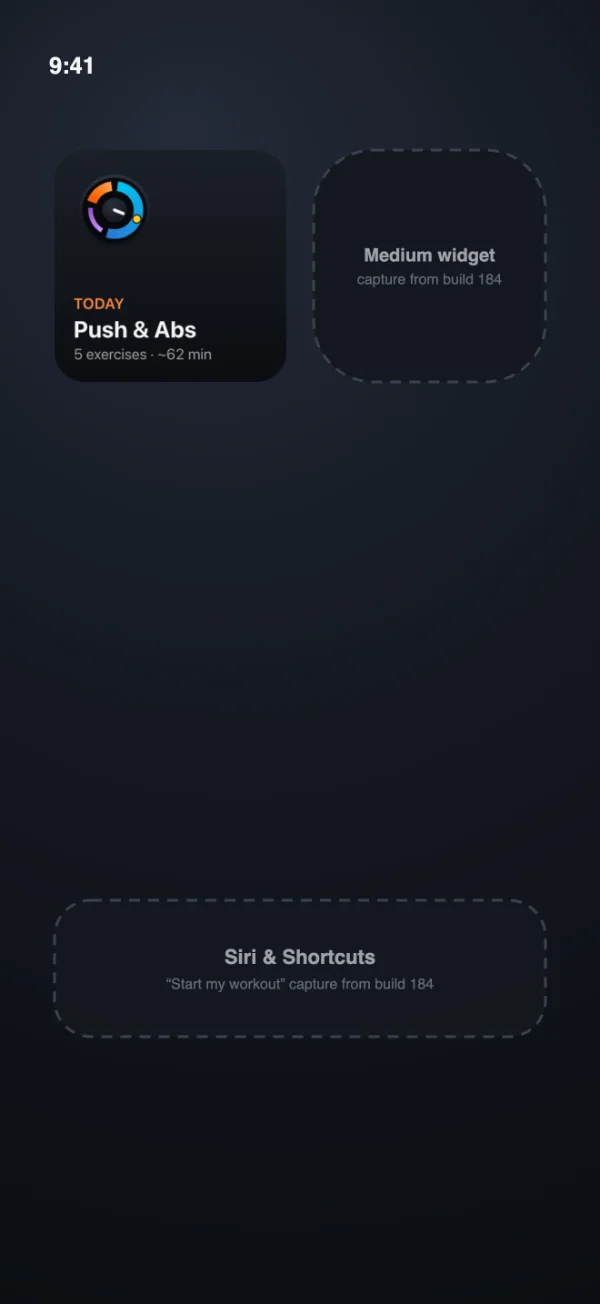
SIRI & SHORTCUTS
Ask, log, start
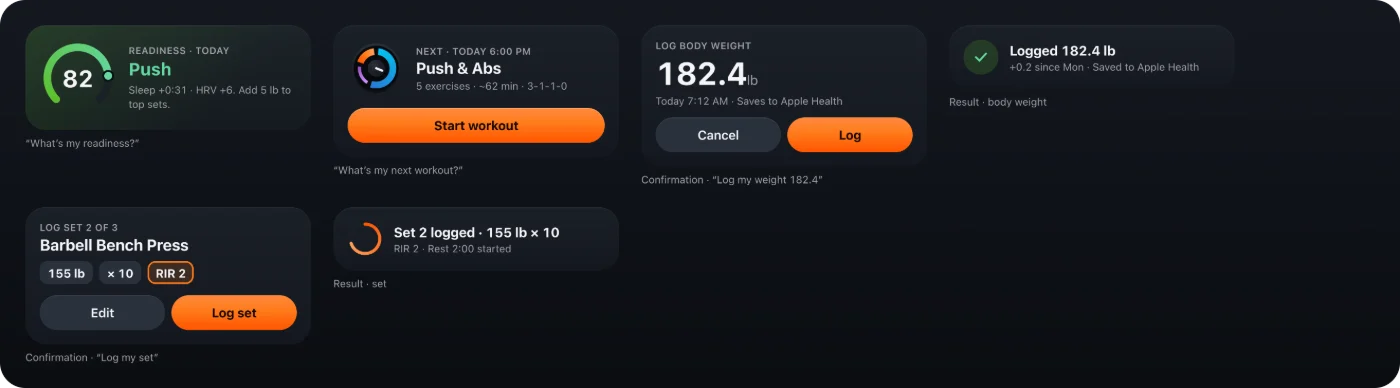
- "Start my workout" or "Start a quick workout"
- "Log my set" with a confirmation, once a workout is running
- Skip rest, next exercise, sets left and undo, by voice during a workout
- "Log my bodyweight" and "Open Fuel"
- "What’s my next workout" and, with RepDial Pro and its Apple Health opt-in, "What’s my readiness"
- Shortcuts actions for rest, food and body weight
Siri phrases work in English and Spanish. For voice logging, turn on Settings › Training › Voice commands. Set up voice logging and fix a rejected Siri command.
QUICK ANSWERS
Ask about your day
Add these from the Shortcuts app, or find them in Spotlight. Each answer is worked out on your iPhone from your own log and targets.
- What is my workout today?
- How many calories and how much protein do I have left?
- When did I last train chest, or bench press?
- What was my last set?
WIDGETS
Today on your Home Screen
Today’s Workout shows the session, or the next one, with the mini tempo dial. It comes in small, medium and large, extra large on iPad, and as Lock Screen circular, rectangular and inline.
- Macros Remaining and Macro bars show what is left of your calories, protein, carbs and fat
- Training readiness, a small Home Screen or circular Lock Screen widget, needs RepDial Pro and its Apple Health opt-in
- Partner PRs shows recent personal records from people who share with you
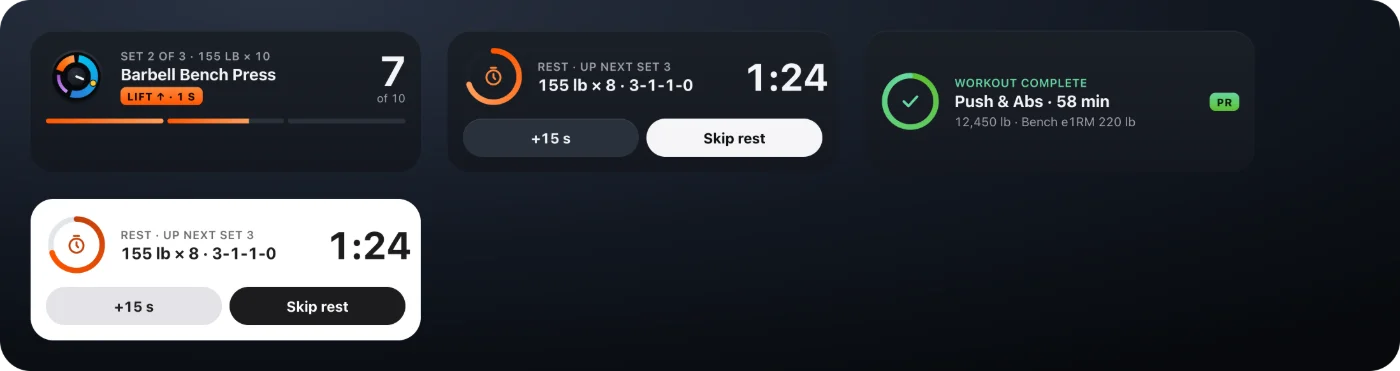
- Rest timer on the Lock Screen shows the running rest and your next set
Widgets support tinted looks, and the workout Live Activity also appears in StandBy.

CONTROLS
One tap from Control Center
Add RepDial controls to Control Center, the Lock Screen or the Action Button.
- Start workout starts today’s workout, or resumes the one you are in
- Workout Action does the next thing: start the workout, log the current set as planned, or skip the rest
- Skip rest ends the running rest so the next set is up
- Log weight and Open Fuel open RepDial where you need them
LIVE ACTIVITY
Your set on the Lock Screen
During a workout, the Lock Screen and Dynamic Island show the current set, the phase and the rest countdown. Pause or resume the tempo and log the set as planned from there, or add 15 s and skip rest while you recover.