Tempo Dial paces each rep with cues and haptics.
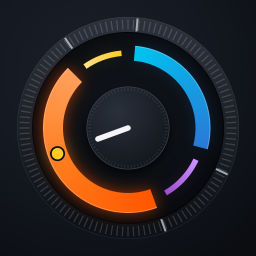
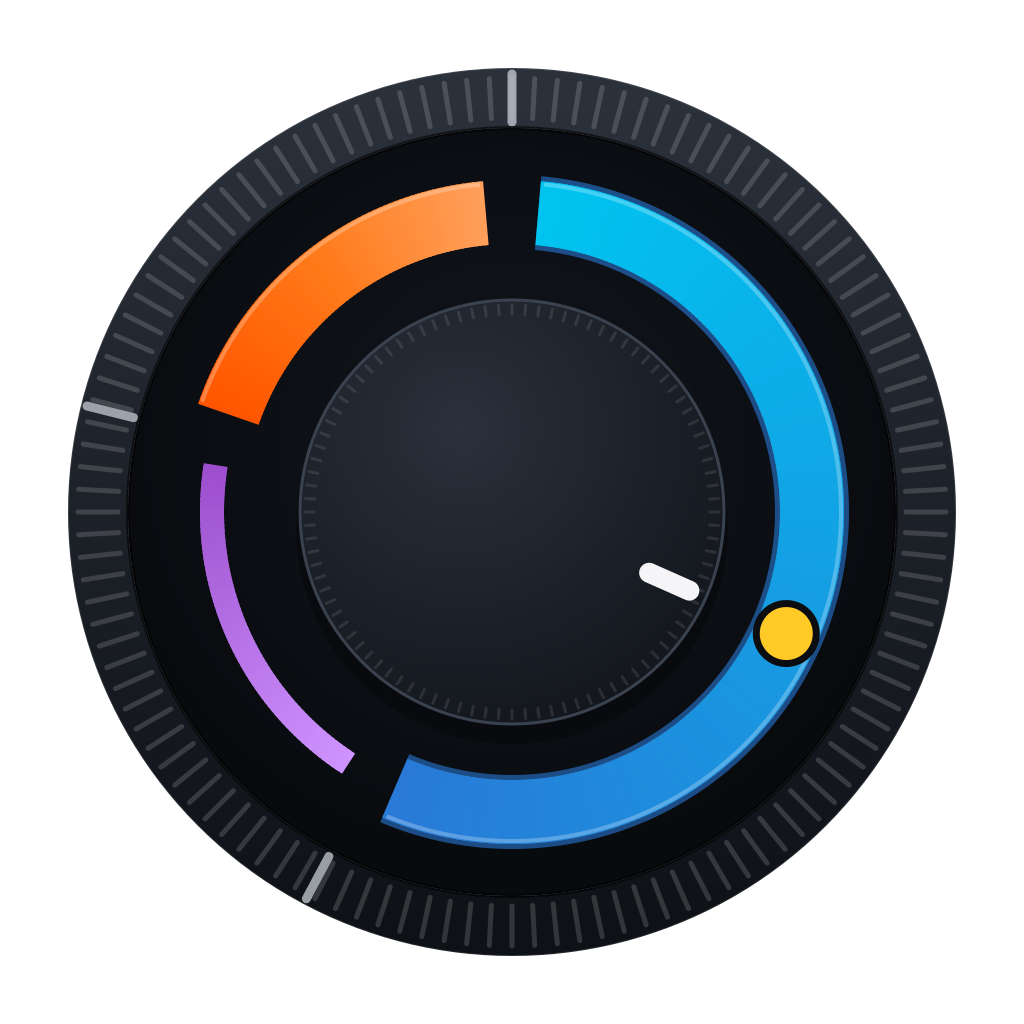
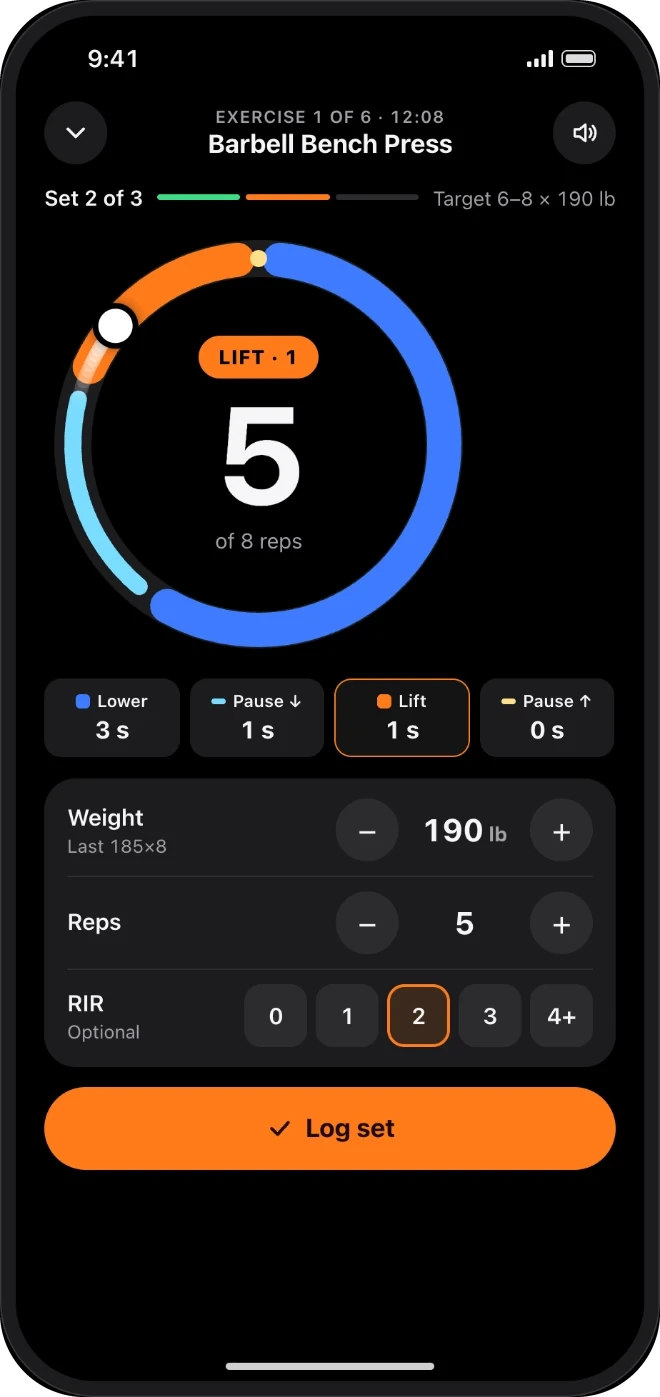
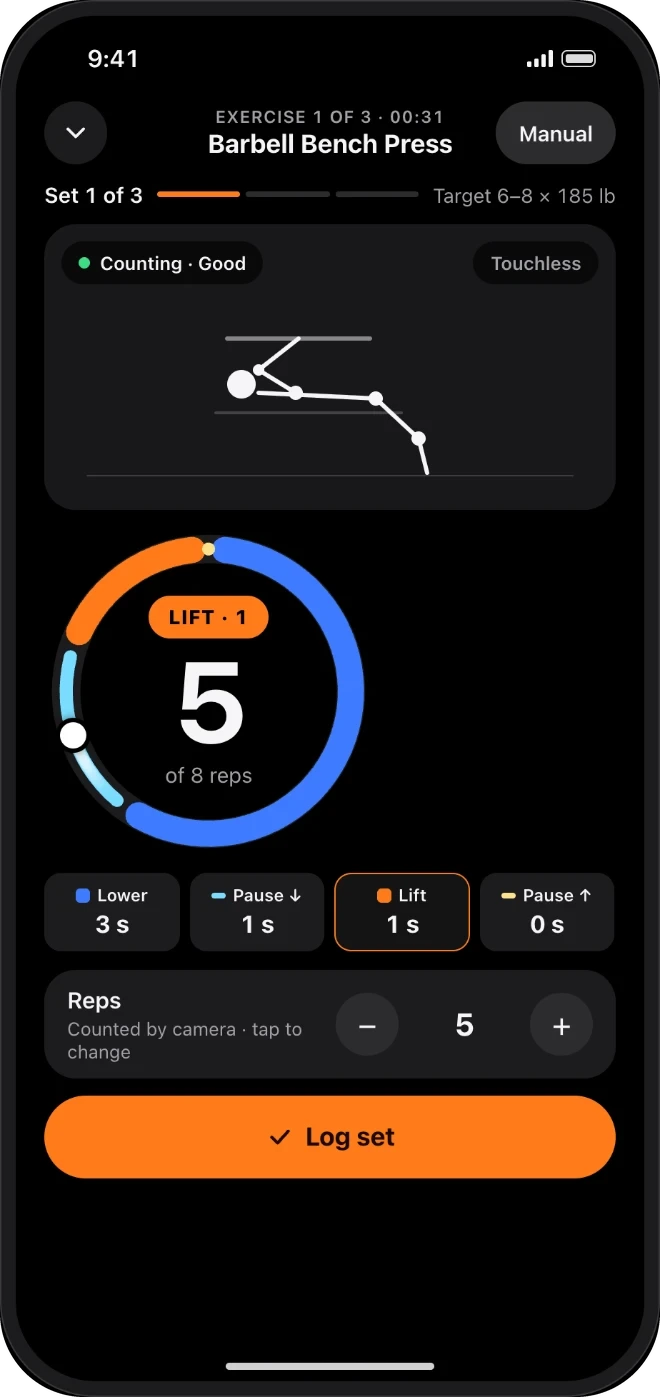
Tempo is four numbers, like 3-1-1-0: lower, pause, lift, pause. The dial draws each phase as an arc, and RepDial calls it out by voice, tones or haptics. You watch the bar, not the screen.
RepDial is a strength coach for lifters who care about tempo. A Tempo Dial paces every rep while you log sets, meals and macros in one place. It works on iPhone and iPad, with an optional Apple Watch app, widgets and Siri shortcuts.
WHO IT IS FOR
We built RepDial for people who already lift and want every rep to count. Two sets of ten can be very different workouts, and the difference is how long each part of the rep takes. RepDial paces that part for you, then keeps your sets, meals and macros in one place.
Tempo is four numbers, like 3-1-1-0: lower, pause, lift, pause. The dial draws each phase as an arc, and RepDial calls it out by voice, tones or haptics. You watch the bar, not the screen.
Build a routine, pick a program or bring the one you already follow. Logging a set takes a few taps, and the next load suggestion comes from your last sets and reps in reserve.
Search foods, scan a barcode or a label, and see calories, protein, carbs and fat beside the workouts you log. It is one app for the whole day in the gym and at the table.
A SESSION, END TO END
Here is one workout, from the first tap to the last rep. Each step is also covered in more detail further down this page.
Start today's workout from your routine or program, or start a quick workout. To bring your own plan, import a spreadsheet, pasted Notes text or a screenshot. We show what we read, you check it, and then it saves as a new copy.
Pick the four numbers for each exercise. A phase set to 0 seconds is skipped, so 3-1-1-0 has no second pause. You can change the tempo whenever you like.
Follow the Tempo Dial: thick arcs move and thin arcs hold. Voice counts the phases and the rep, tones or haptic taps mark each change, and the cues keep going with your screen off.
Enter weight, reps and reps in reserve, then log the set. With Siri, you say "Log my set" and confirm first. On Apple Watch, you use the Digital Crown.
A rest countdown starts on its own. Add 15 seconds or skip it from the Lock Screen, the Dynamic Island, Control Center or your wrist, so the phone can stay in your bag.
After the workout you see estimated one-rep max, volume, tempo accuracy and muscle trends from the sets you logged. We suggest you check your entries before you trust a trend.
IPHONE
The Tempo Dial, programs, Fuel and progress on iPhone.
Lower, pause, lift, pause, coached by voice and haptics on every rep.
Learn more ›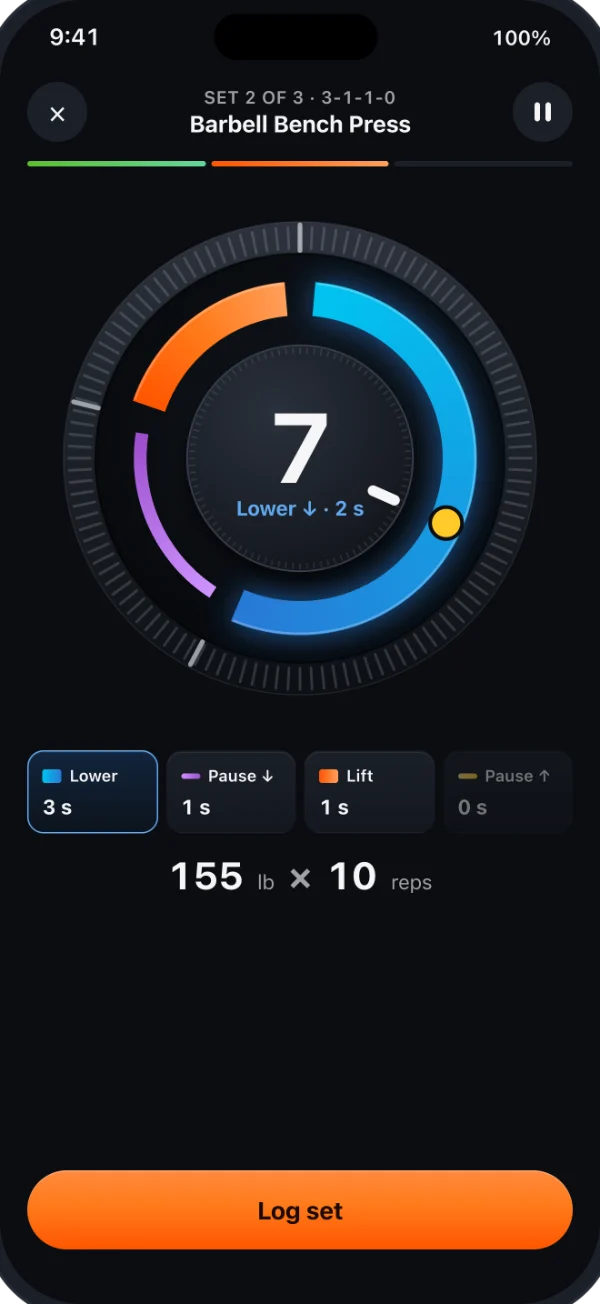
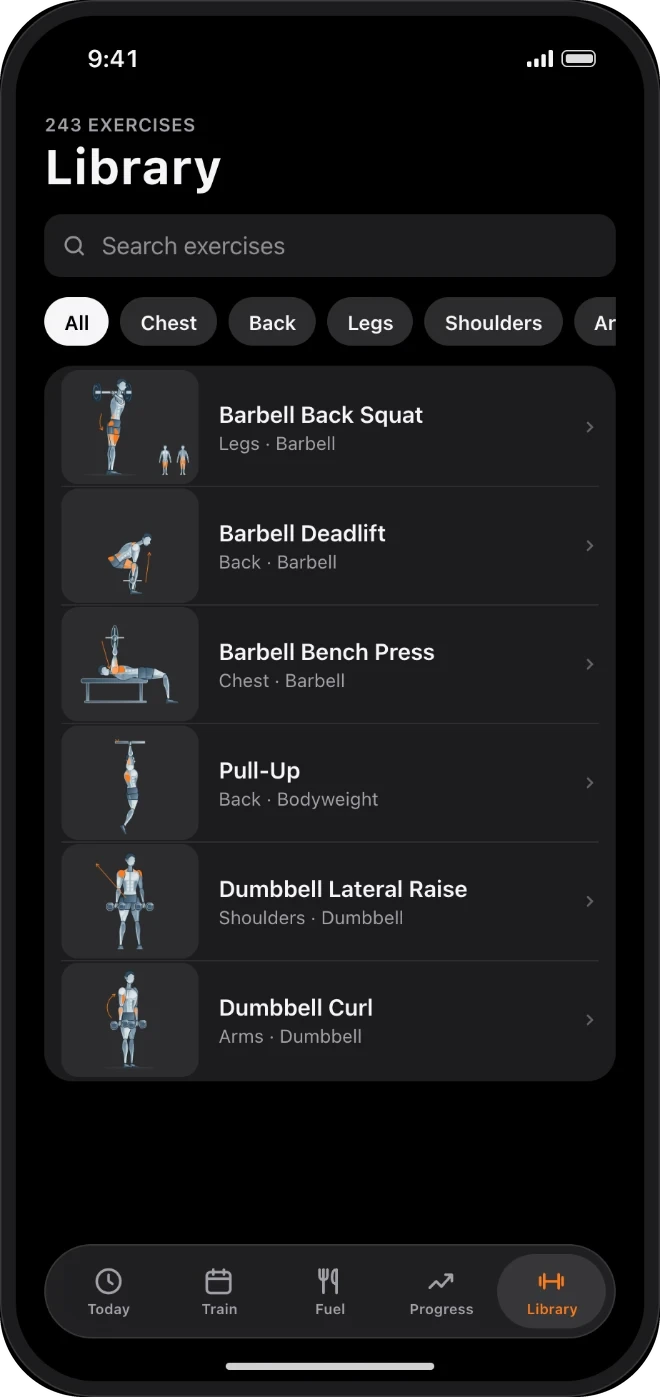
12-week programs, progression from RIR, and clearly illustrated exercises.
Learn more ›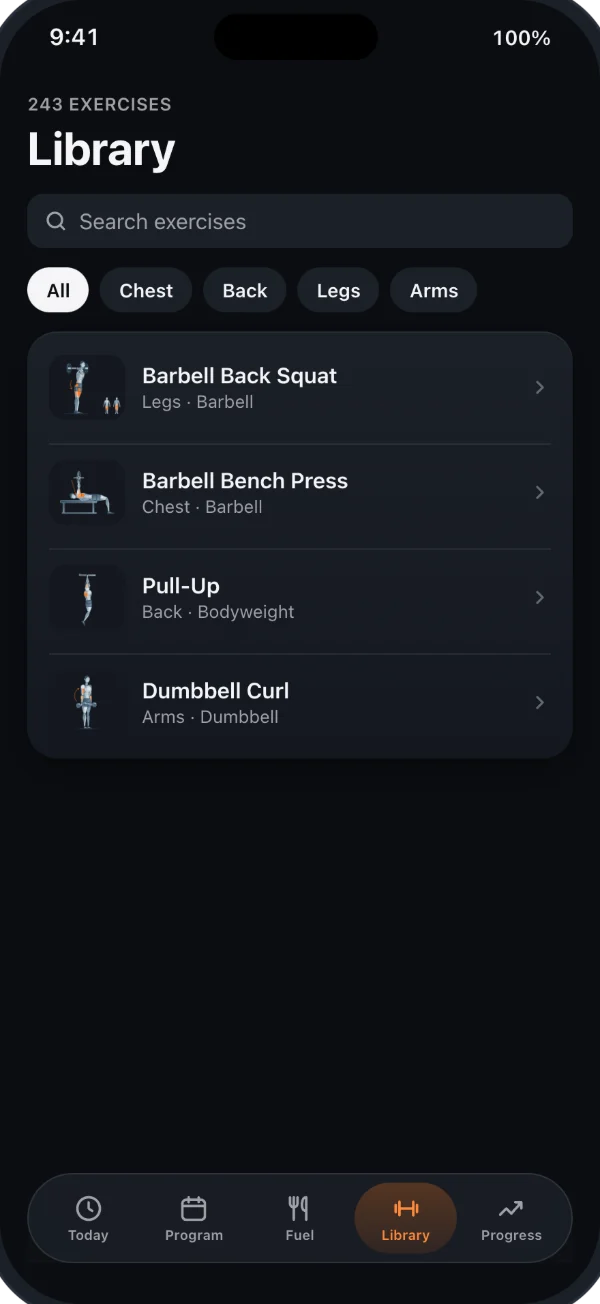
Search foods, scan barcodes or labels, and review items before logging.
Learn more ›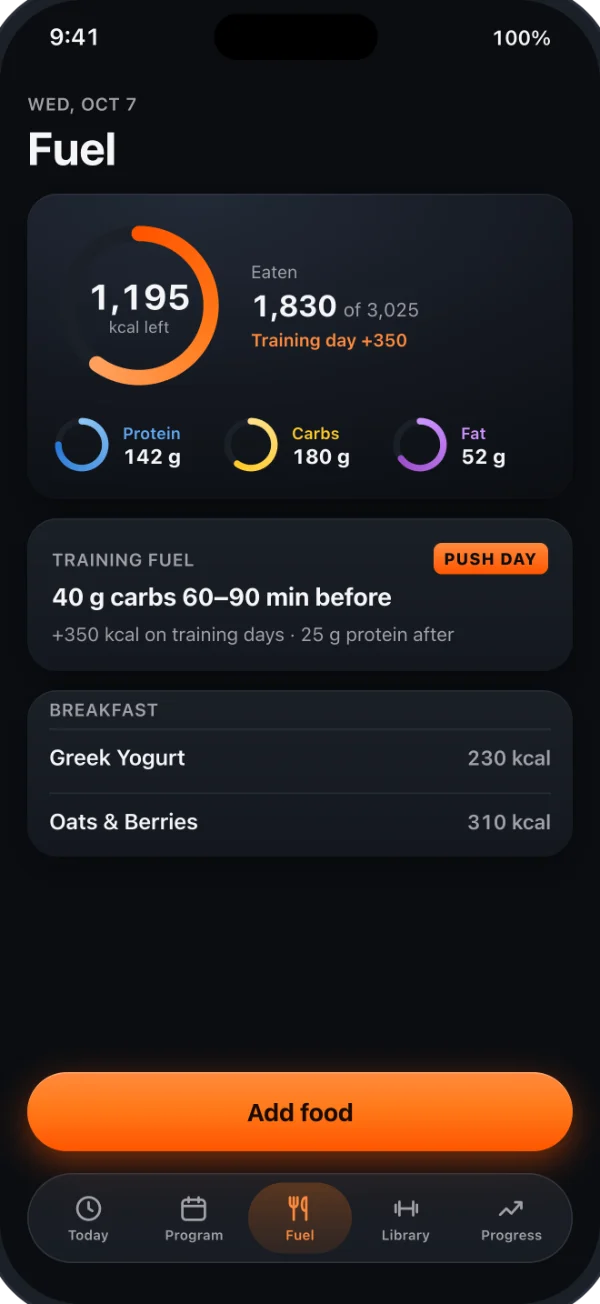
e1RM, volume, tempo accuracy and muscle trends after every workout.
Learn more ›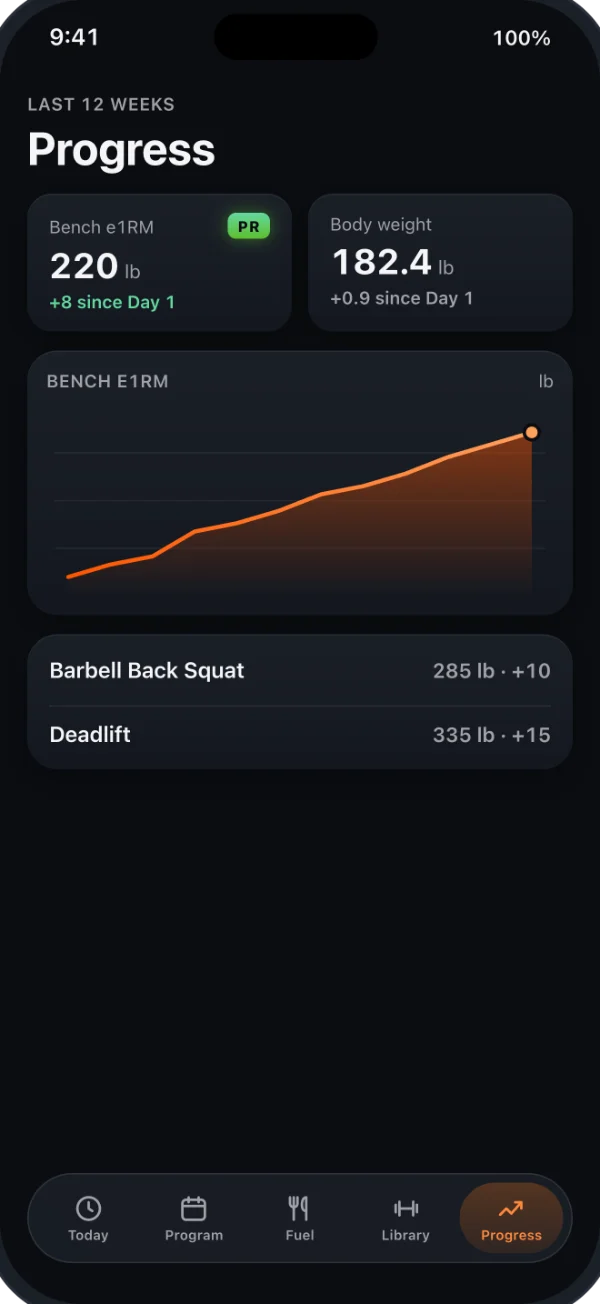
Touchless rep counting from the iPhone camera. Video is never saved.
Learn more ›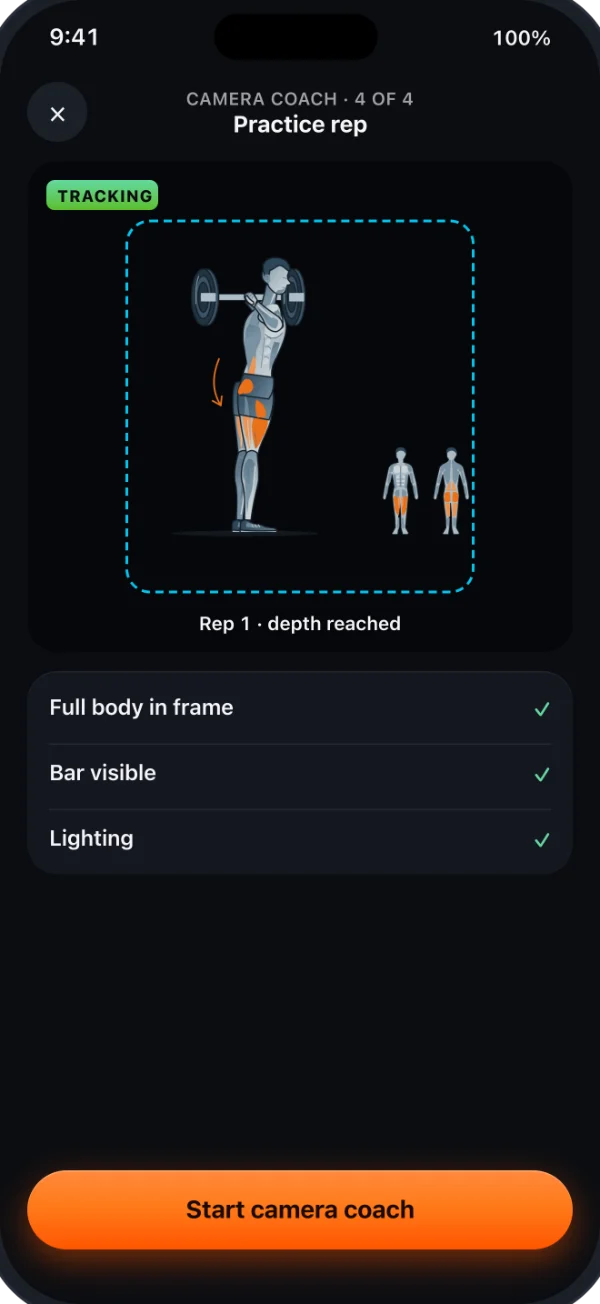
Private iCloud sharing, PR alerts and a PDF report for your coach.
Learn more ›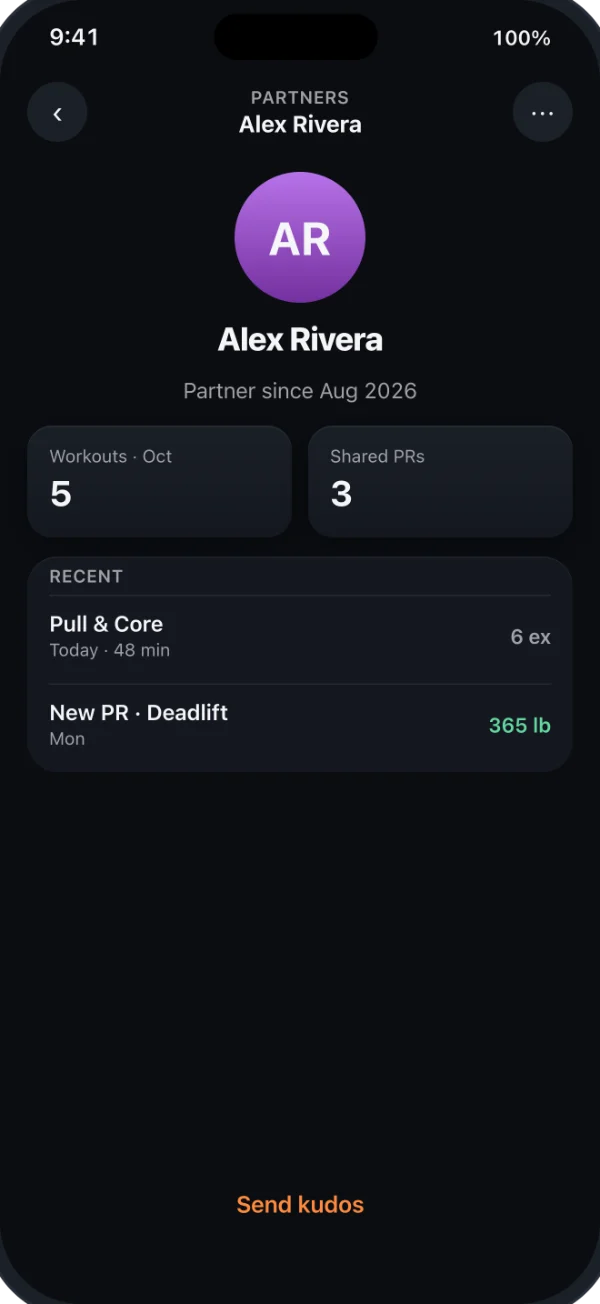
Say your time and equipment. Review a session suggested from your selected equipment and logged training.
Learn more ›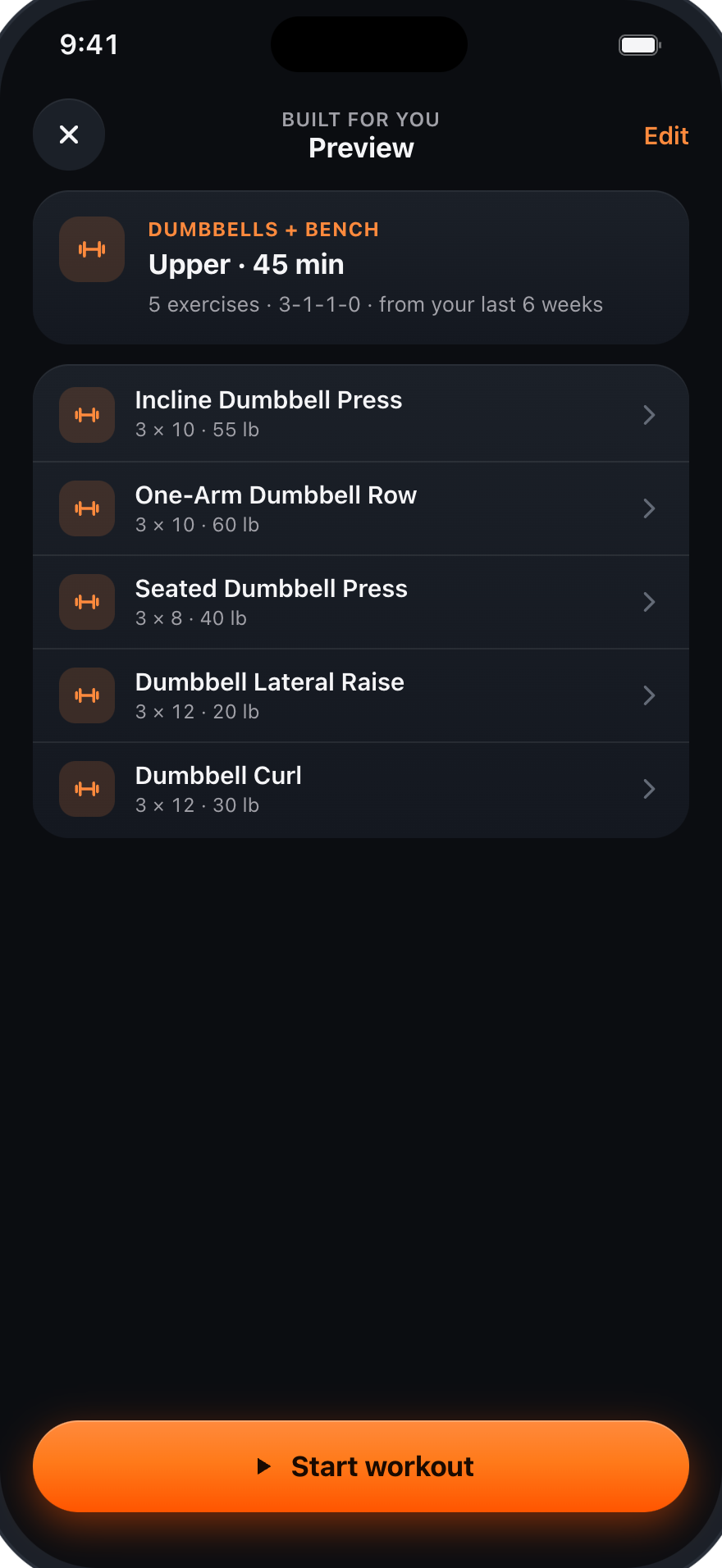
Ask about your logged training, open the linked records and review the answer.
Learn more ›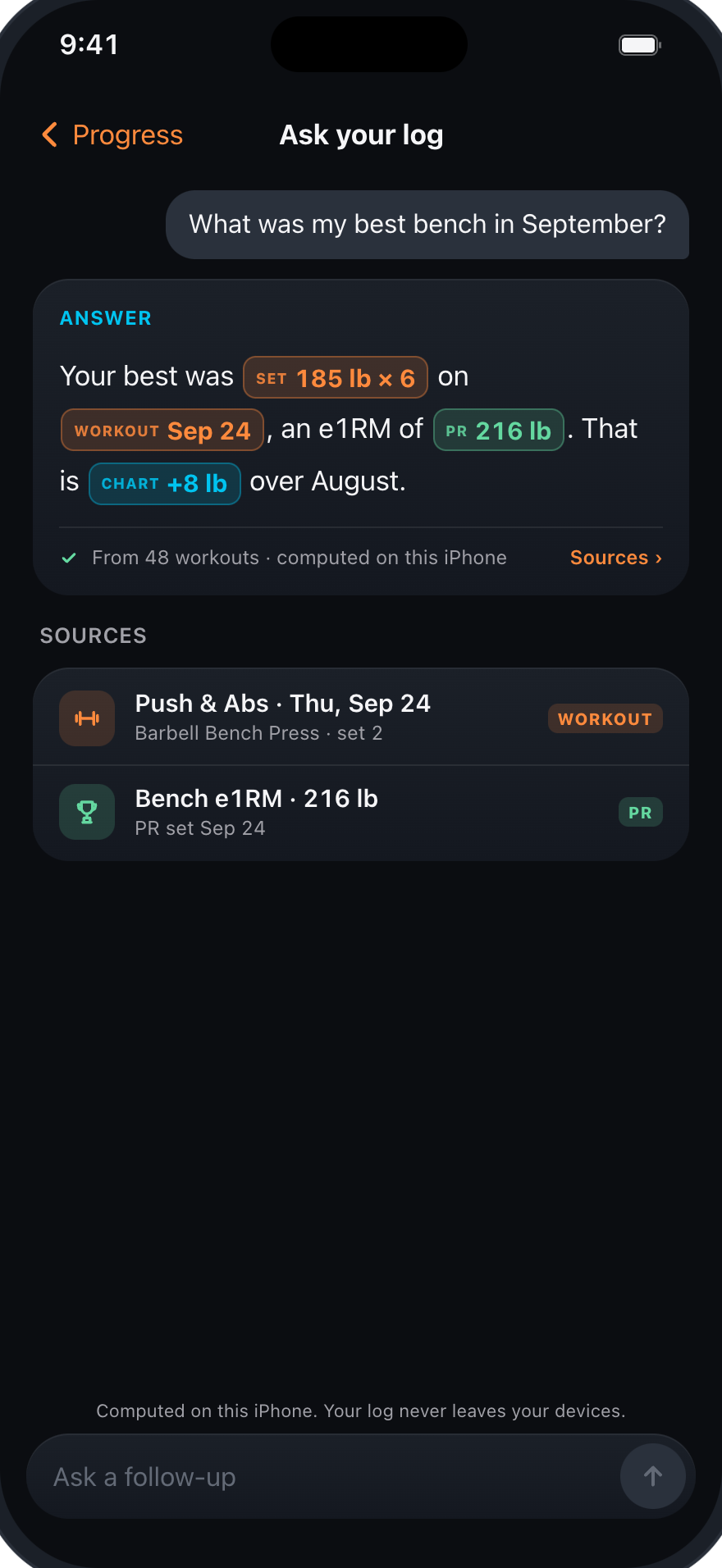
Private groups of 2–10. Week grid, PRs and a weekly challenge.
Learn more ›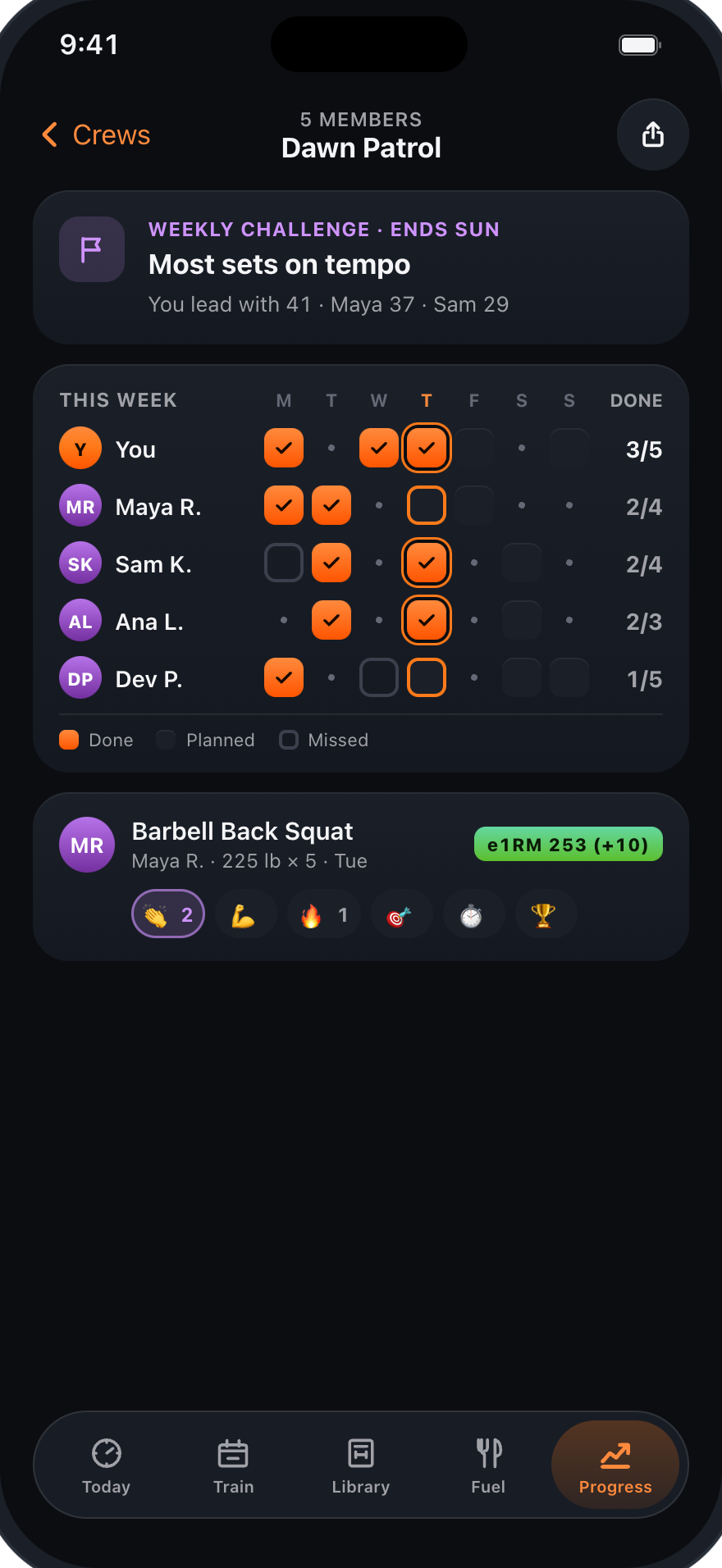
SharePlay on FaceTime. Follow the host’s set clock and tempo.
Learn more ›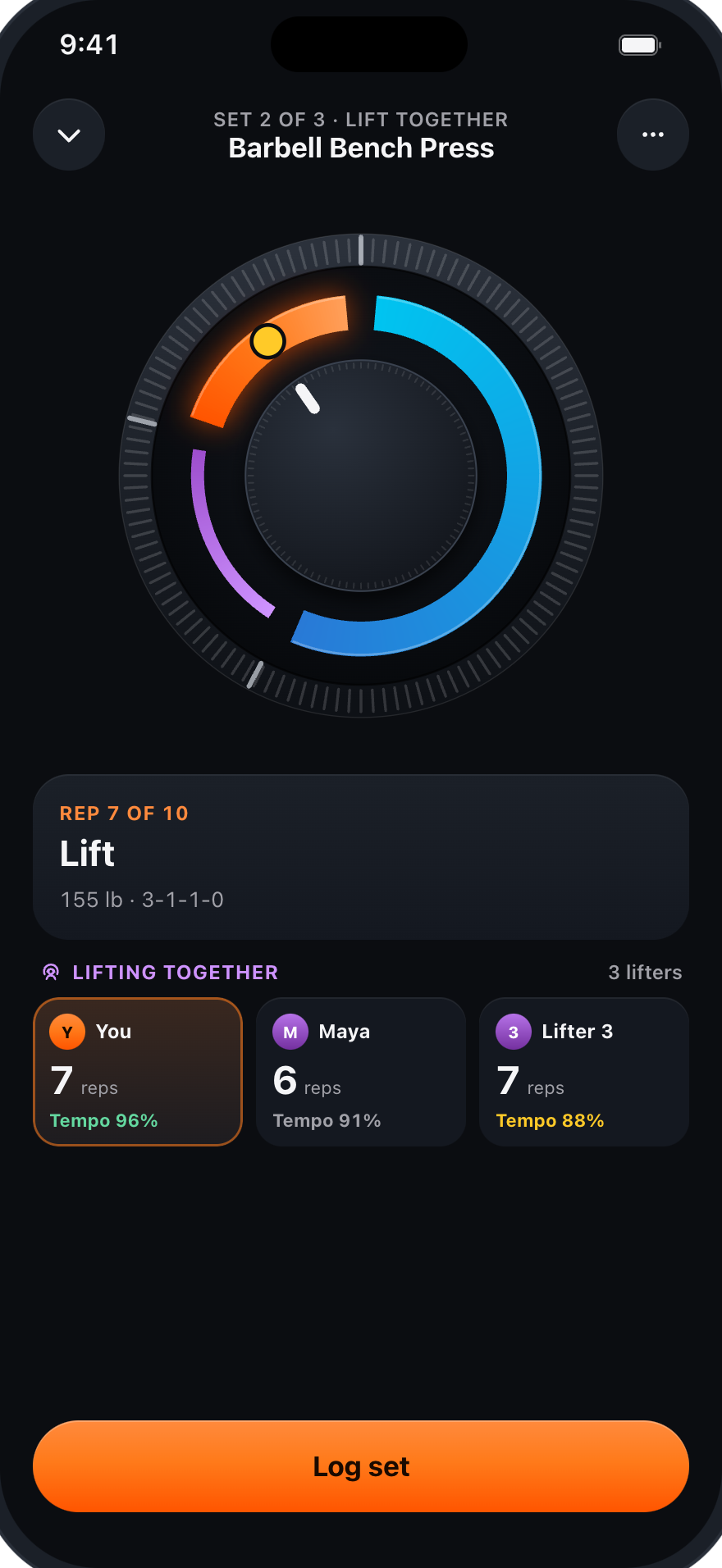
Directional cues for the Tempo Dial on headphones.
Learn more ›APPLE WATCH
Haptics on your wrist, sets logged with the Crown, rest without your phone.
A tap at every phase. Stronger for lower and lift, lighter for pauses.
Learn more ›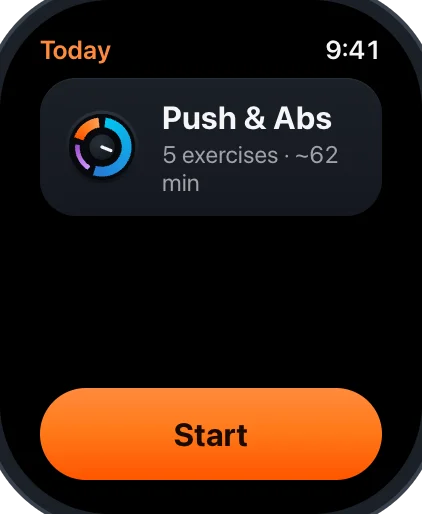
Weight and RIR with the Digital Crown, then Log set.
Learn more ›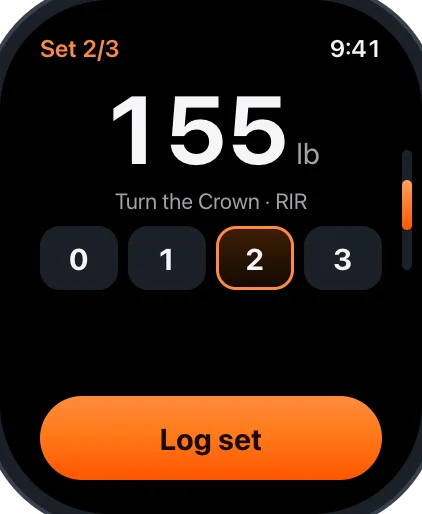
The rest ring on your wrist and today’s workout on your watch face.
Learn more ›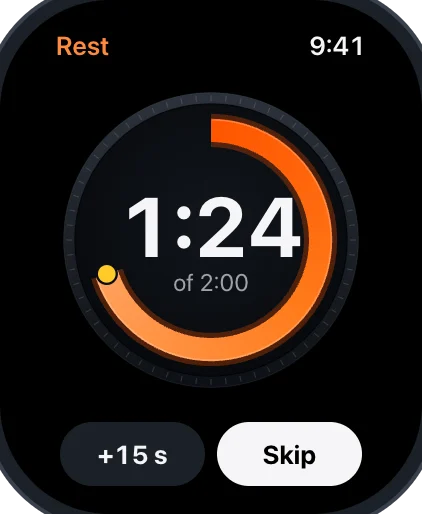
AIRPODS
Listen to phase and rep cues through your headphones.
Phase and rep counts play through AirPods or any Bluetooth headphones.
Choose tones, voice cues or haptic taps to follow the Tempo Dial.
Ask Siri to start a workout or log a set while your phone stays in your bag.
WIDGETS & SIRI
Siri and Shortcuts, widgets, Control Center controls, StandBy, Live Activities and the Dynamic Island.
"Start my workout" and "Log my set", with confirmation before logging. Quick answers about your day, in English and Spanish.
Learn more ›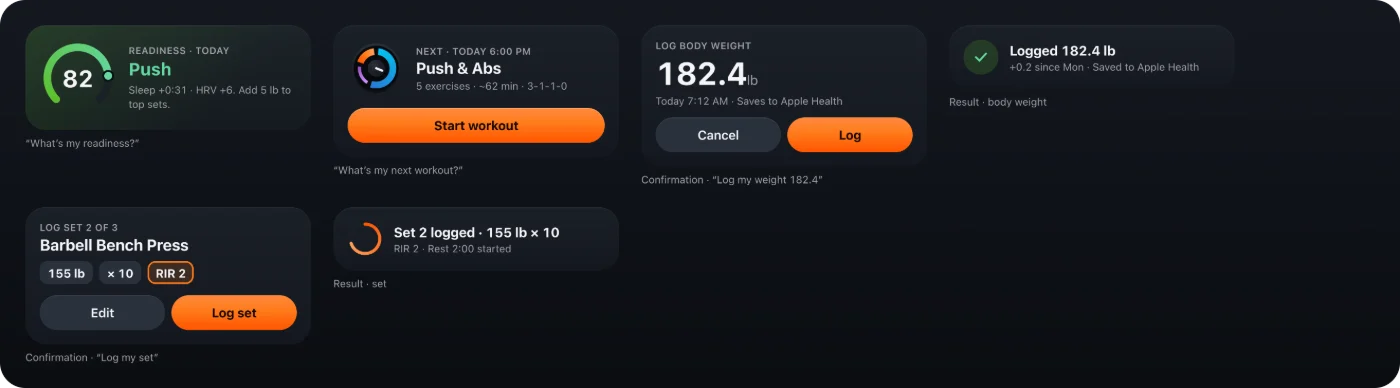
Today’s workout with the mini tempo dial, macros left, readiness with Pro and partner PRs.
Learn more ›
Your set, phase and rest on the Lock Screen and in the Dynamic Island, with controls for Control Center.
Learn more ›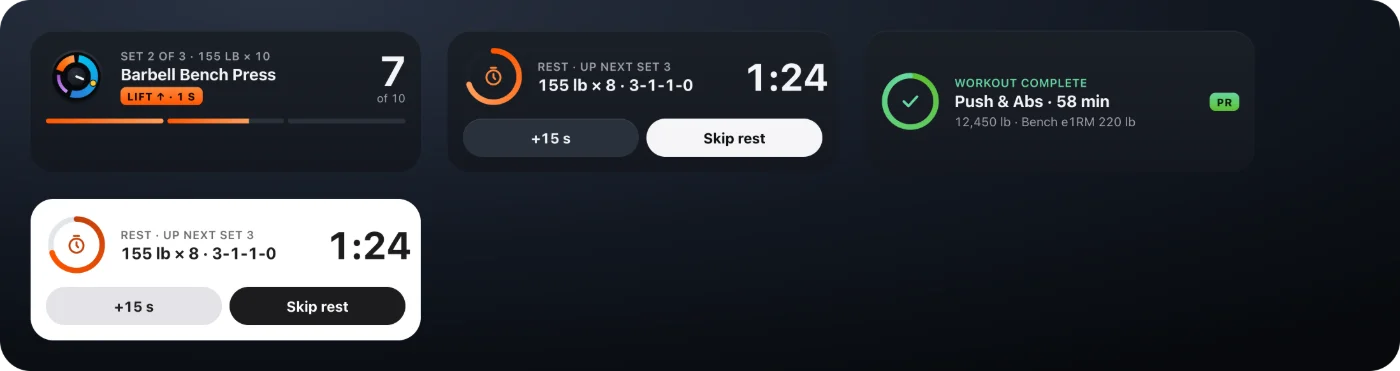
FUEL
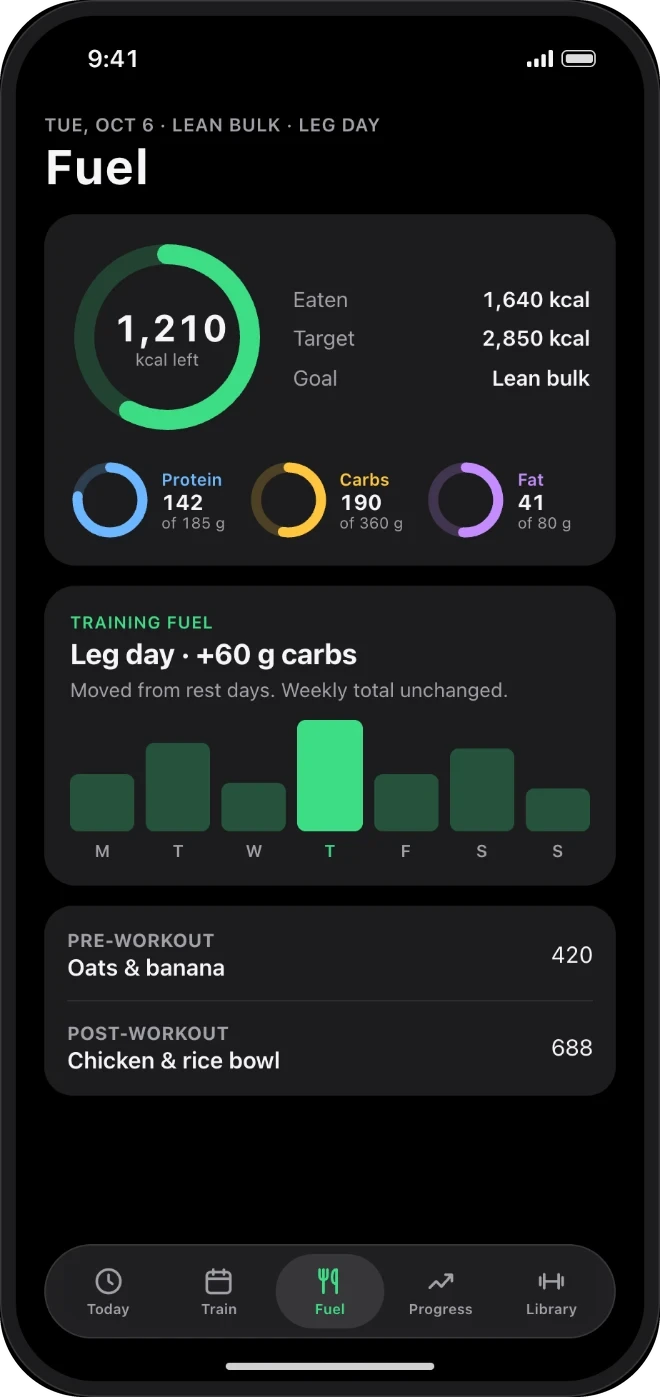
Fuel is the food side of RepDial. It sits beside your workouts, so what you ate and what you lifted are in the same place.
Search a food list that is bundled on your iPhone, scan a barcode or a Nutrition Facts label, or enter food by hand. We show scanned and estimated values for review before anything is added.
Set calorie and macro targets, then compare them with the meals you log. Macros left show in a widget and in Siri answers. Targets and food estimates are not medical advice, and photo estimates can be wrong.
Open a logged meal to correct portions, foods, time or meal slot, or repeat a meal tomorrow. Meal prep and grocery lists come with RepDial Pro.
APPLE HEALTH AND READINESS
Apple Health access is optional, and each item has its own switch. You can use RepDial without granting any of them. Review each permission in the app and in iPhone Settings, and see the privacy policy for what RepDial reads and writes.
Choose whether RepDial saves your workouts, active energy and meals to Apple Health. Meal estimates are saved only after you confirm them.
Body weight, heart rate, and sleep and heart-rate variability can come the other way, each with its own switch. Anything read from Health stays outside RepDial's iCloud sync and partner sharing.
Readiness is optional and comes with RepDial Pro. It compares your sleep, resting heart rate and heart-rate variability with your usual range. It is not a medical measurement, and it does not require an Apple Watch.
PRIVACY
No RepDial account is needed, and we run no app servers. Your workouts and food logs live on your device, and in your personal iCloud account only if you turn sync on. We never sell your data, and your Health data is never used for advertising.
Review permissions, export a copy or request deletion from Settings › Privacy & data. Read the privacy policy for optional services and their data practices.
Learn more ›If you turn sync on, workouts and food logs are also stored in your personal iCloud account, in Apple's private database. We cannot access it. Changing the setting takes effect the next time RepDial opens.
Learn more ›Never sent to RepDial, partners, crews or Lift Together. Health readings, bodyweight and measurements stay outside iCloud sync. Only exports you make can include them.
Learn more ›Some features reach the internet only when you use them. Online packaged-food search sends your search text, and barcode lookups send the barcode number, to public food databases. A recipe link downloads the page you chose. We attach none of your logs or Health data.
Camera coach frames and scanned labels are analyzed on your iPhone, and video is never saved. In-app voice logging recognizes speech on your iPhone, and RepDial never stores or uploads the audio. Importing a routine can use Apple's Private Cloud Compute only if you allow cloud processing, and you can turn that off.
RepDial Free can show ads after you choose to allow them, and Pro members do not see ads. Health, workout, body and food data are never sent to the ad provider. You can review or turn off ads in Settings › Privacy & data.
BETA STATUS
RepDial is in an early, invite-only beta on TestFlight. Here is what works now, what is still to come and how to join.
REQUIREMENTS
FAQ
No. RepDial works on iPhone alone. Apple Watch adds wrist haptics, Crown logging and rest on your wrist.
Voice cues play through headphones. Spatial head tracking requires compatible headphones.
Yes, from RepDial 1.1 on iPadOS 27. Wide windows use side-by-side panes and a larger Tempo Dial, and a keyboard adds shortcuts for logging sets, resting and Fuel. Hold ⌘ to see them.
Yes. The app, widgets, Siri phrases and Apple Watch app are available in English and Spanish, and follow your device language.
Yes. Apple Health permissions are optional. You can follow the dial and log workouts without granting them.
No. Video is analyzed on your iPhone and never saved, uploaded or shared.
No. Partners see workouts, PRs and program progress, plus your profile photo if you turn it on. Fuel, body weight and Health data are never shared with them.
Pro adds the full program catalog, custom programs, meal prep and grocery lists. Review available plans and purchase terms in the app before buying.
More answers on Support.
Ask us for an invite, or follow the steps on the testing page.