 RepDial
 › Fuel
IPHONE · FUEL
Keep your meals in one place.
Log food by search, barcode or manual entry. Review scanned and estimated values before adding them.
Join the beta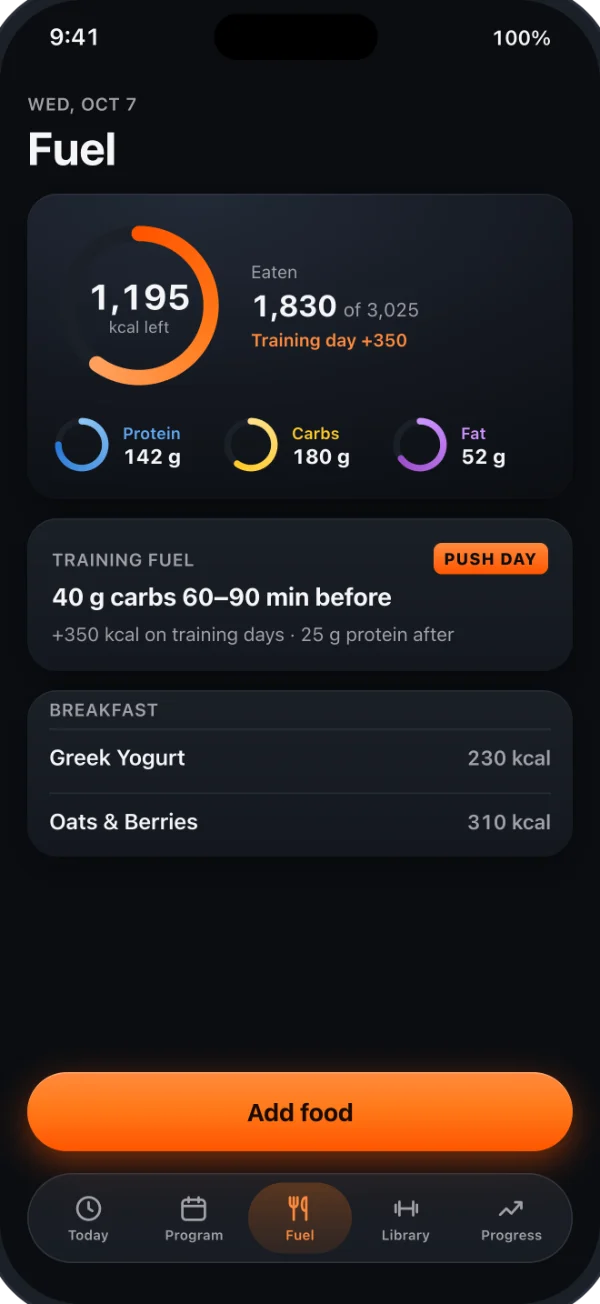
LOGGING
Search, scan or snap
- Search a large food database
- Scan a barcode or a Nutrition Facts label
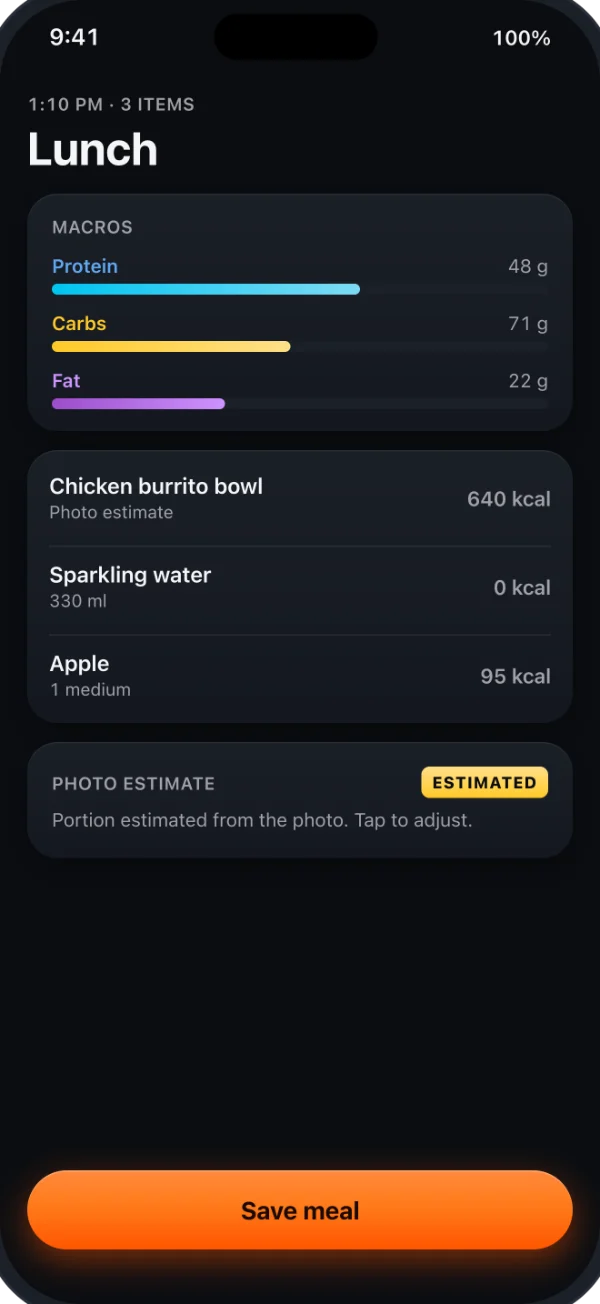
- Photo estimate, clearly marked ESTIMATED
- Saved meals and dishes
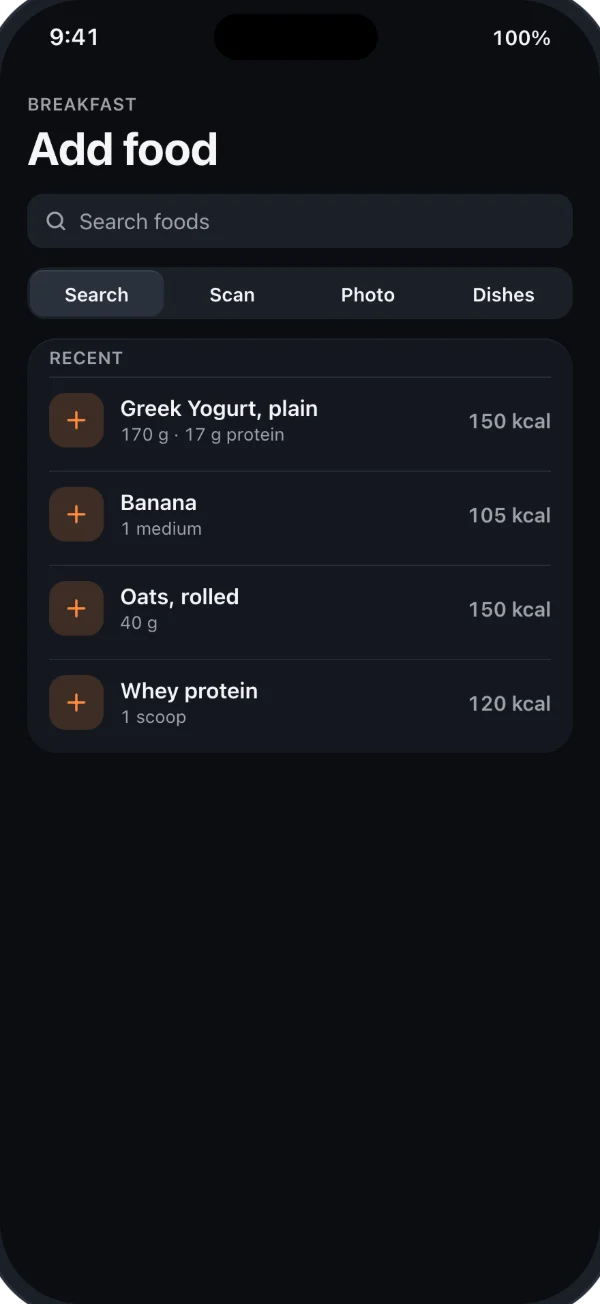
LABEL SCAN
Review a scanned label
Point the camera at a Nutrition Facts panel. RepDial reads it on your iPhone and shows the result before anything is added.
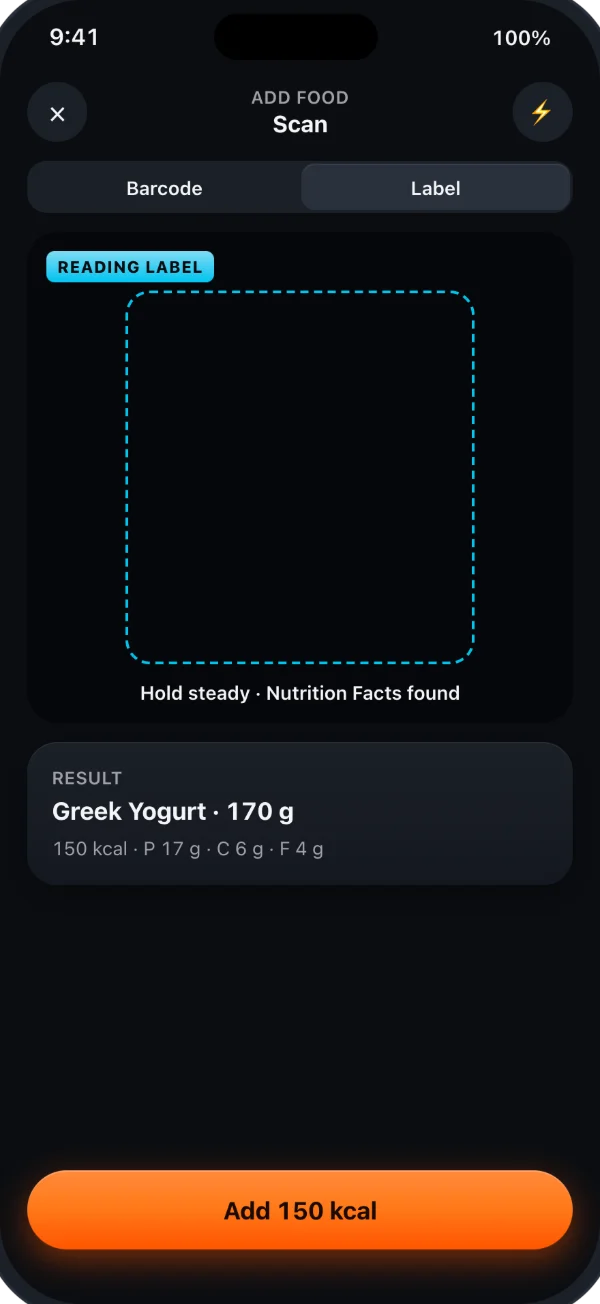
TRAINING FUEL
Review your targets
Set calorie and macro targets, then review them alongside the meals you log. Targets and food estimates are not medical advice.
MEAL PREP & GROCERIES
Plan the week
Turn saved meals into a meal-prep plan and a grocery list with RepDial Pro. Food portions use your selected units; macros stay in grams and calories in kcal.
Meal prep & grocery list
Included with RepDial Pro.
YOUR LOG
Keep the meals you meant to log
Open a logged meal to correct its portions, foods, time or meal slot. Macro history lets you find another day and edit its meals. Repeat tomorrow and Copy to… add new logged meals while keeping the original.
History averages use only logged days; an empty day is not zero intake. Review estimates and incomplete days before using the totals.
APPLE HEALTH
You choose what crosses over
In Settings › Apple Health, a separate switch decides whether each logged meal saves its energy and macros to Health. Scale weigh-ins can come the other way, from Health into Fuel.
You can also show food that other apps saved to Health, for reference. It is never added to your RepDial totals or targets, and RepDial does not store or sync it.